Skip to content
Gardenly3D

Plant Intelligence Center

Know every plant in your design, and see how the whole garden works through the year

Look up any plant, read it from many angles on one page, then turn the same knowledge on your planting scheme: flowering, colour, structure, size, hardiness, wildlife value and care, month by month.

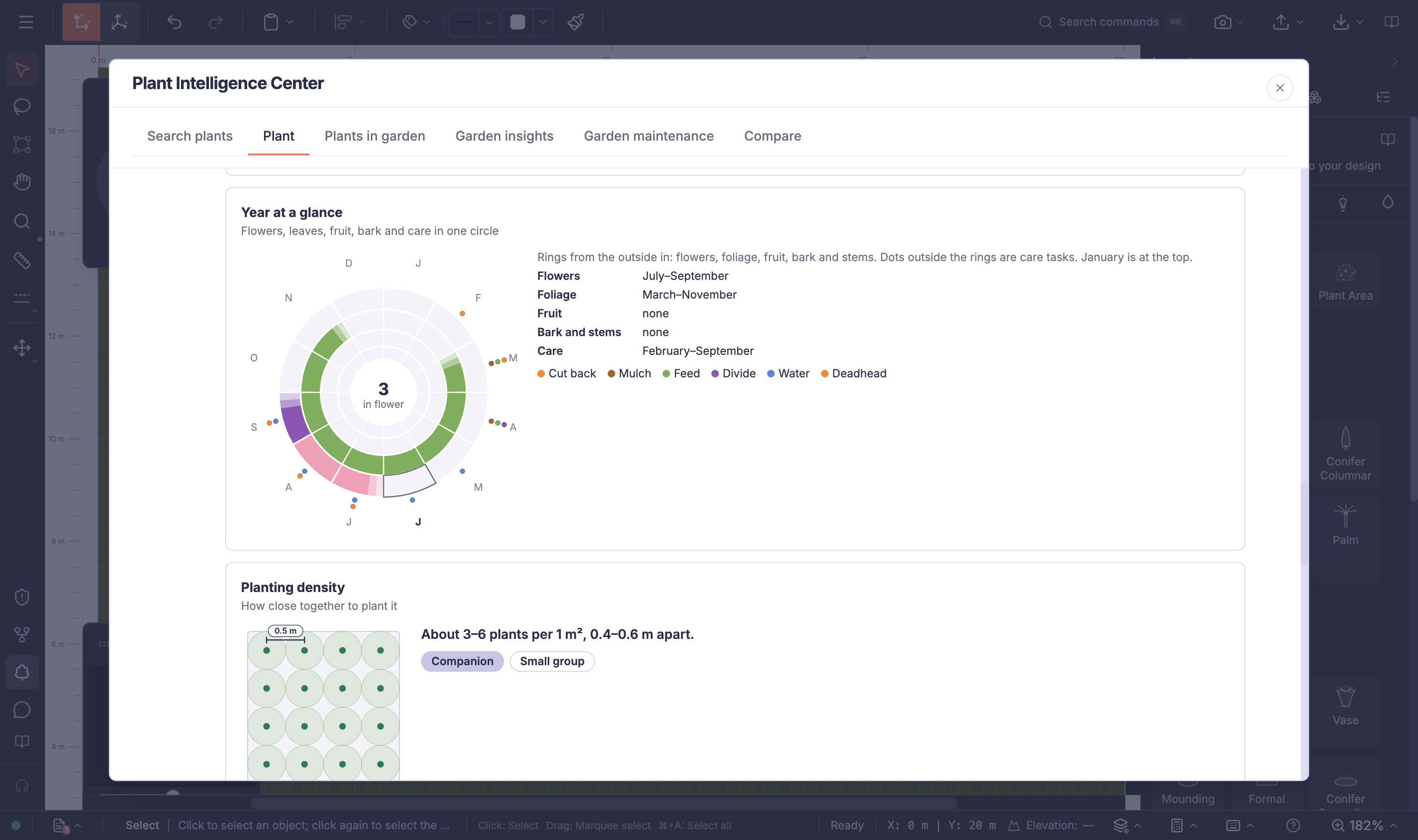
Gardenly3D with the Plant Intelligence Center open on purple coneflower, showing its year ring of flowers, foliage and care beside the garden plan

Three ways to look at plants

One plant in depth, the whole garden at once, and the care it needs

The Plant Intelligence Center opens beside the drawing. Study a single plant before you choose it, or read every plant in the open design together, including hedges and planted areas, so you can see gaps and clashes while the scheme can still change.

  1. 01

    Search and analyse plants

    Search by common or botanical name in your language, read a plant page of charts and cards, compare two to four candidates on the same scales, then choose Insert into drawing to place one.

  2. 02

    Analyse the garden as a whole

    See every plant in the design in one table with its catalog product and price, then read the whole planting as charts, for the entire drawing or only the plants you selected.

  3. 03

    Garden maintenance

    Review the year of care the client will receive, month by month, and add a care guide, species sheets and garden charts to the plant list document.

Plant knowledge inside the design

Choose plants with the whole year in view

The same plant knowledge is shown from different angles, so a quick look and a careful check both have the right picture.

Search and analyse plants

Read a plant at a glance, then in depth

Plant information is often spread across catalogues, books and websites, each in its own format and units. Comparing what a plant does in spring, summer, autumn and winter usually means reading several pages of text.

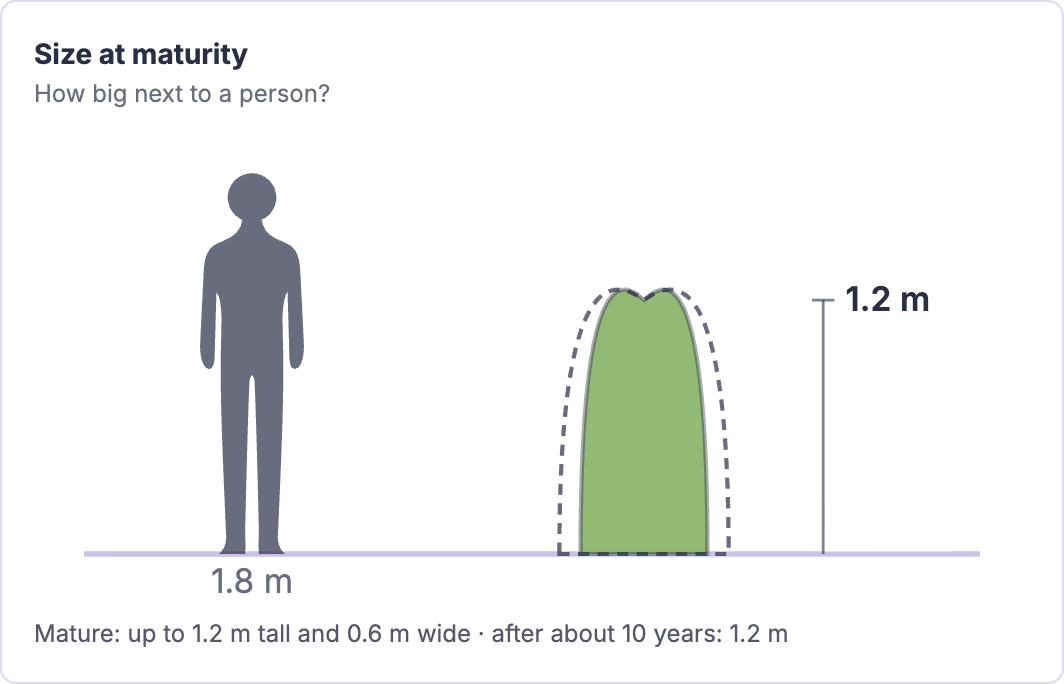
Each plant page starts with six overview tiles and a year ring, then shows the plant's size next to a person, its growth over time, its hardiness window, the soil it accepts, a monthly care calendar and its value for wildlife. Every value appears in the project's units.

In practice

  • Flowers, foliage, fruit, bark and care in one year view
  • Mature size and growth drawn to scale
  • Hardiness, soil, light and water needs as clear scales
  • Two to four plants compared side by side
Analyse the garden as a whole

See how the planting scheme performs month by month

A planting list rarely shows when the garden goes quiet, which colours flower together, or how much work the planting will need. These questions usually wait until the garden is already planted.

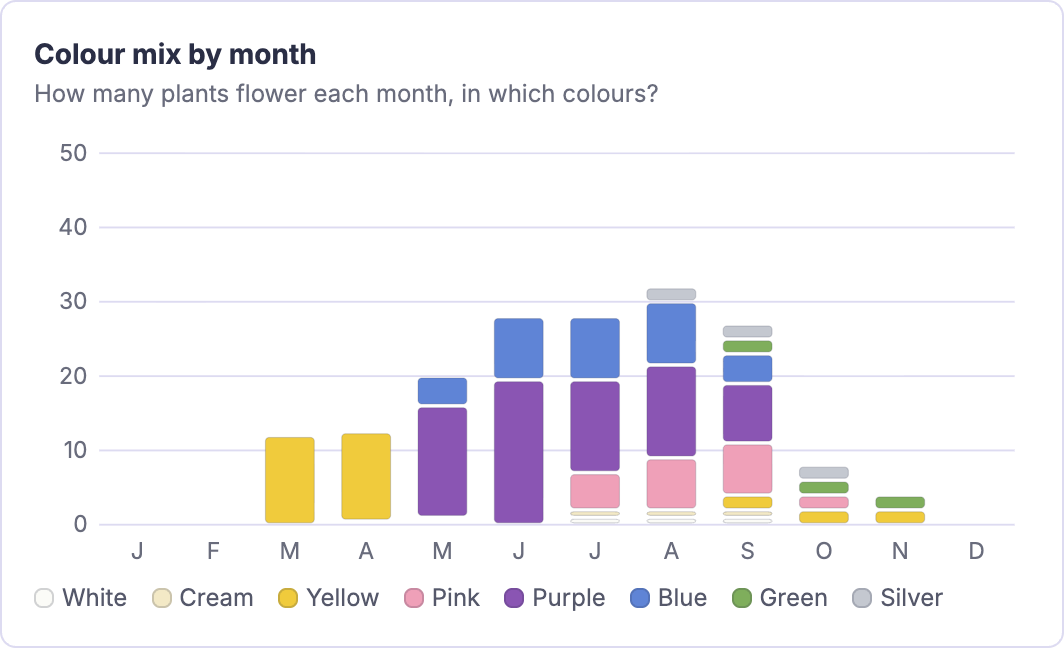
Garden insights reads every plant in the open design, including hedges and planted areas, and shows the flowering year, colour by season, food for pollinators, winter structure, a skyline at maturity, the hardiness zone range of every plant on one scale, resilience and the care that is due each month.

In practice

  • Find flowering gaps and colour clashes before planting
  • See which plants carry the garden through winter
  • Seasonal interest matrix and palette board for the client

Garden maintenance

Know the care before the client does

How much work a planting needs, and when, is hard to judge from a plant list, yet it decides whether the garden still looks right in five years.

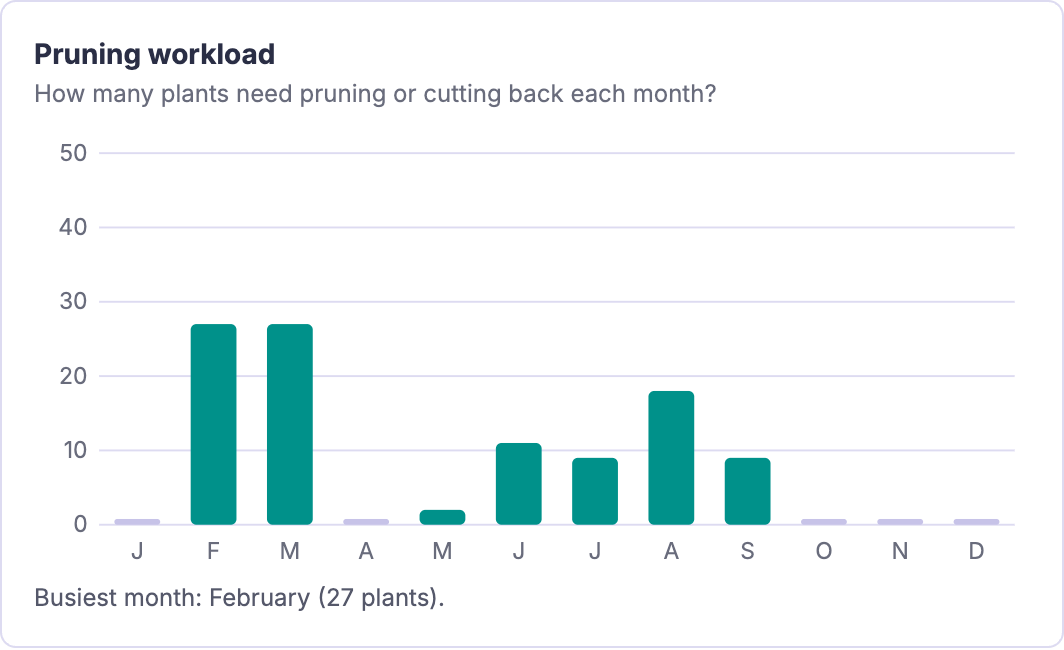
Garden maintenance shows the estimated hours of routine plant care for every month and each monthโ€™s tasks grouped by kind of work. The same care goes into the clientโ€™s care guide in the plant list document.

In practice

  • Estimate when care work falls and which plants need the most
  • Tasks for the month with timing and skill level
  • Care guide grouped by month

Capability detail

Plant Intelligence Center capabilities

Search and analyse plants

Find the right plant, read it from every angle and compare candidates side by side.

Analyse the garden as a whole

Read every plant in the drawing together, for the whole drawing or only the plants you selected.

Garden maintenance

Review the care the planting needs, month by month, before it goes to the client.

Useful to know

Plant information is AI-generated and labelled as such in the product. Use it as a design reference and confirm important decisions, such as toxicity or suitability for a particular site, with a trusted source. Choose Insert into drawing on a plant page to start placing it with the planting tools. Hedges and planted areas are made with their own wizards, and the Plant Intelligence Center reads every plant in the drawing. Plant illustrations and charts are schematic. Care time estimates cover plant care only: lawn mowing and other surface care are not included, and tasks stated per area are counted once per plant.

Continue exploring Gardenly3D