
One cloud project
Open the project in a supported computer browser and keep module information together.
Gardenly3D product overview
From the first client brief to the final presentation, bring plans, planting, 3D design, analysis, costs and client review together. Spend less time switching tools, repeating work and moving files.
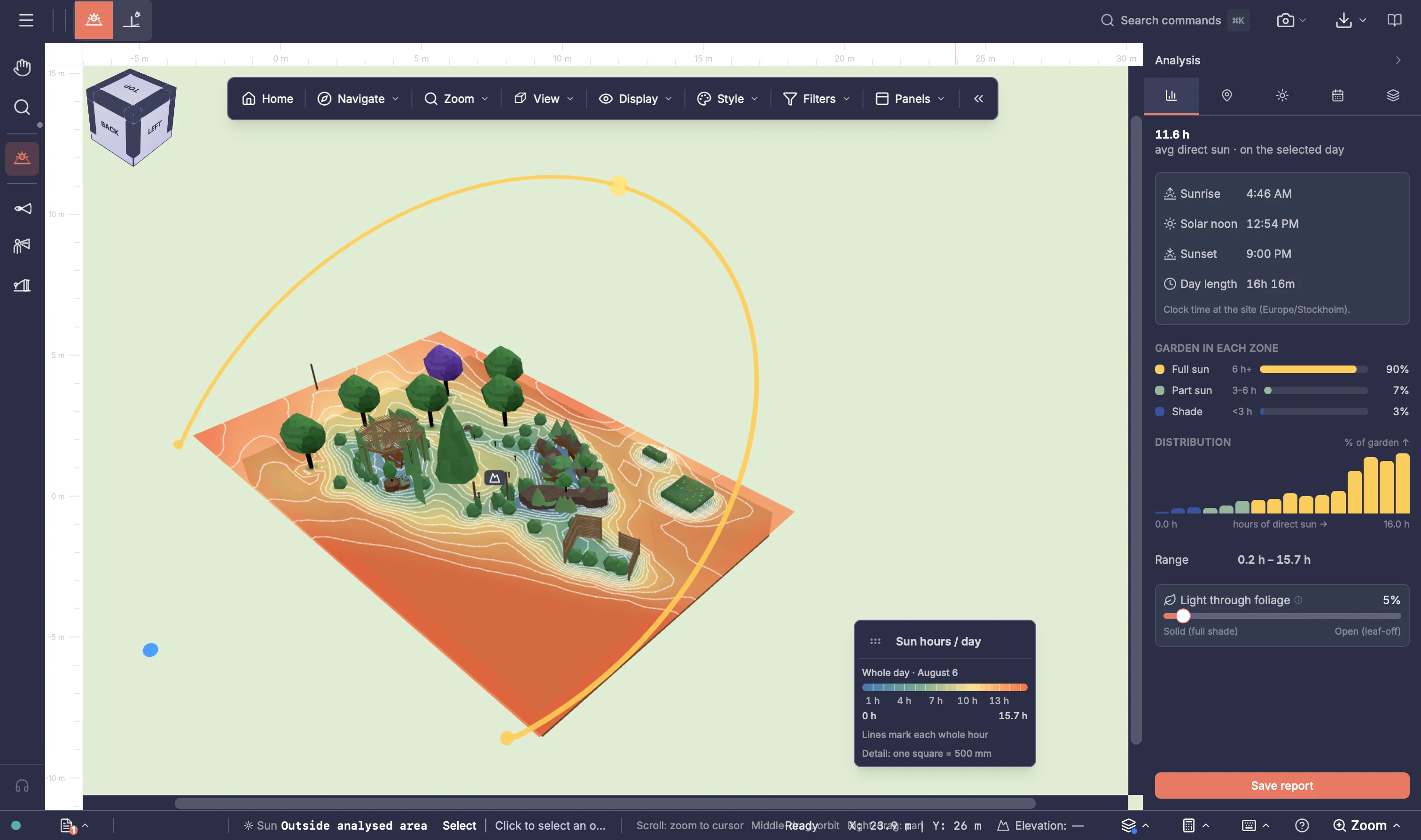
Project knowledge stays available as the work moves forward.
Design living, built and technical garden elements together.
Open the project on supported computers and work with colleagues when needed.
Product modules
Bring the brief, site survey, terrain, design, analysis, presentation, planning, costs, documents and client review into one connected product. Reduce the need to buy separate software, re-enter the same information and move files between applications.
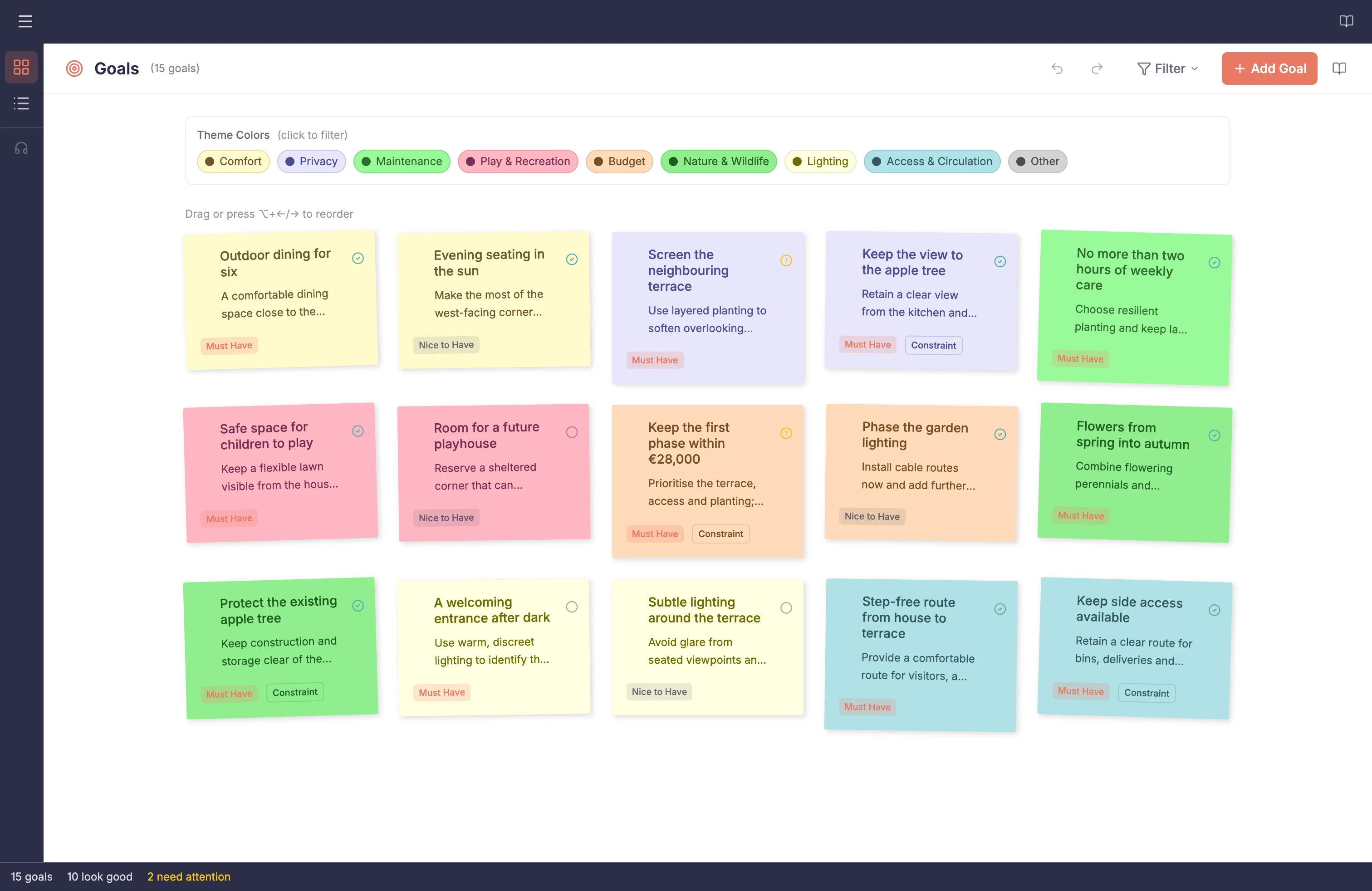 Goals & RequirementsTurn client priorities and requirements into project context that remains available while the garden takes shape.
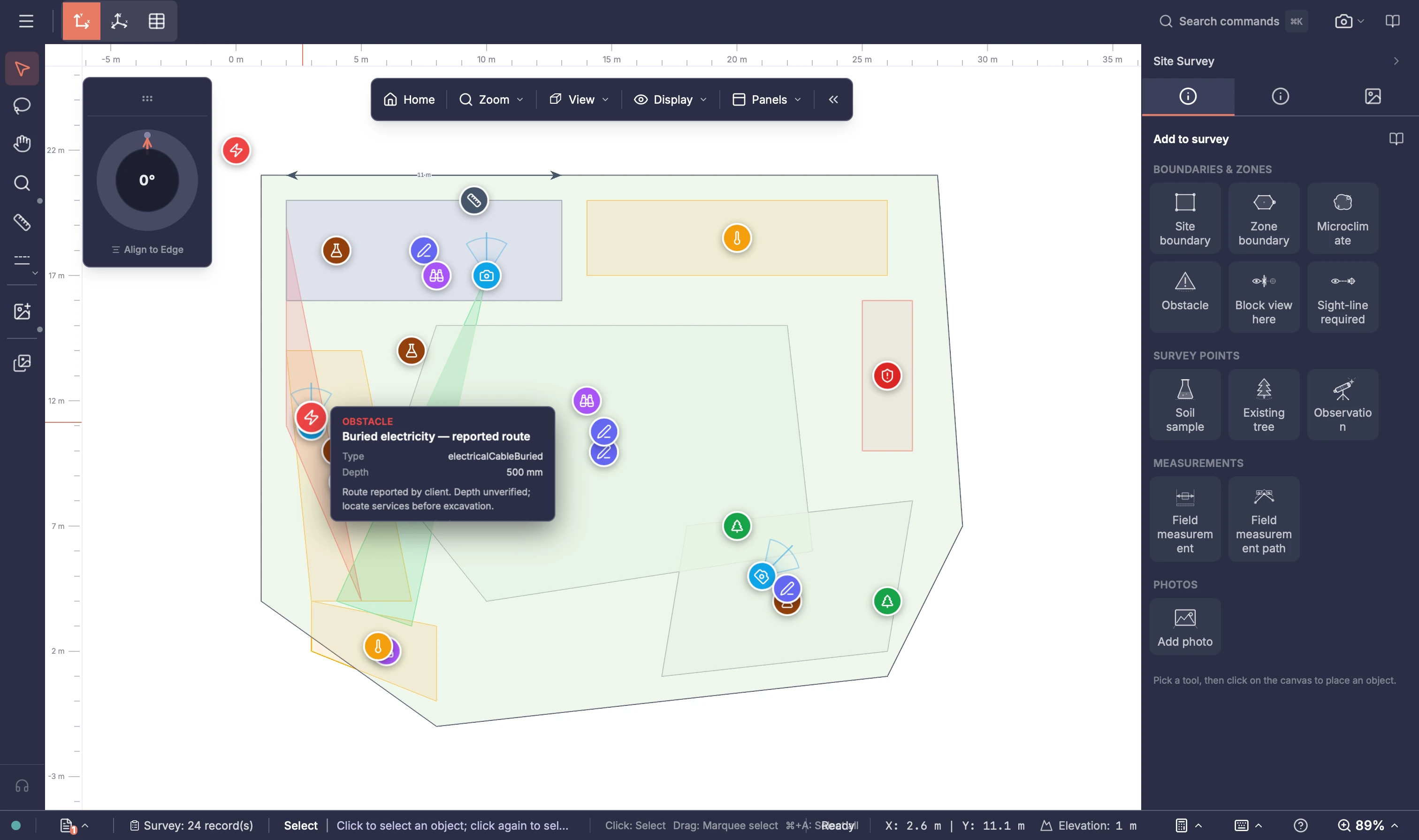 Site SurveyKeep measurements, observations, photos and site conditions with the project as design decisions begin.
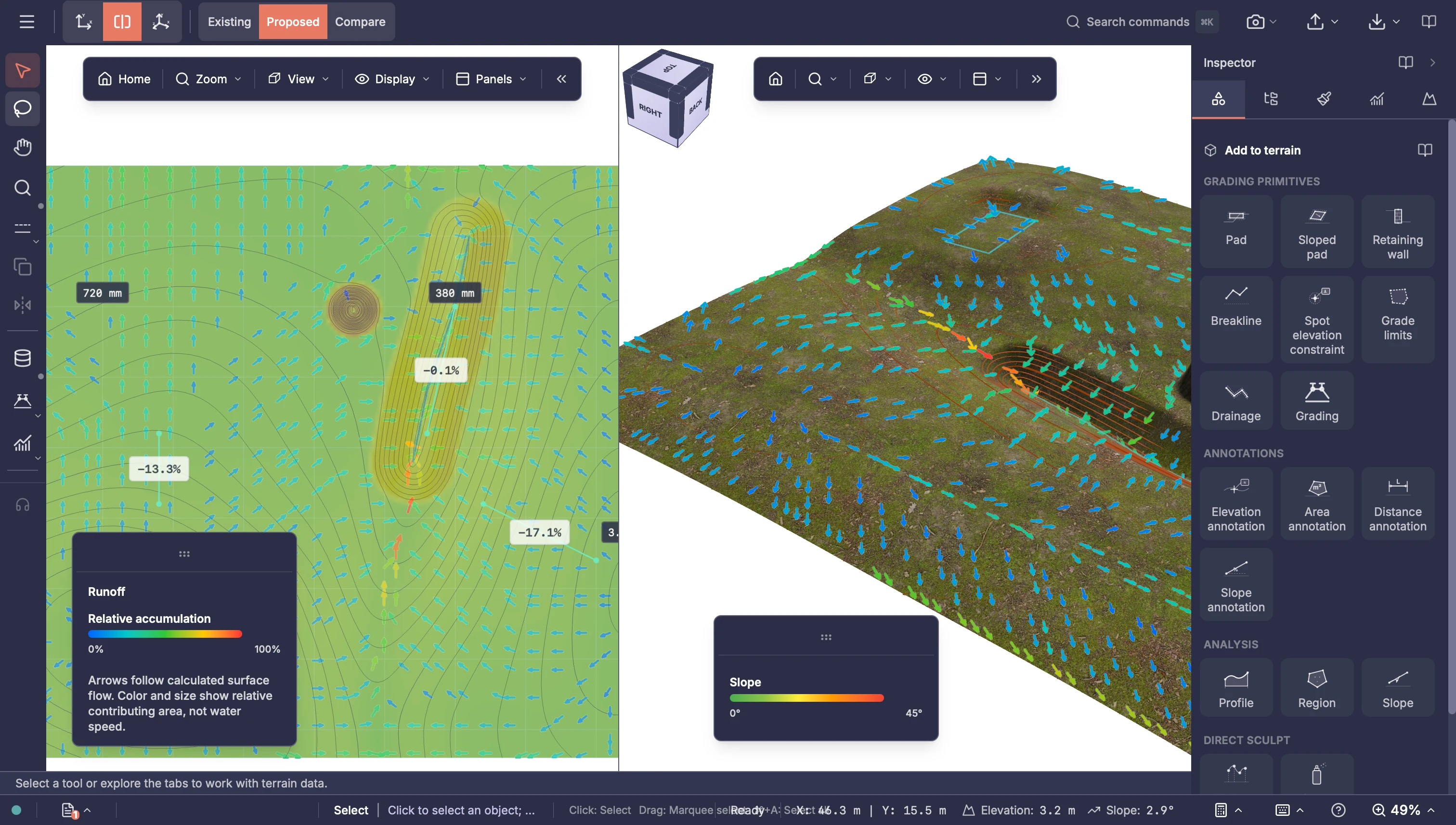 Terrain ModellingModel existing ground, explore proposed levels and support terrain-based evaluation including water runoff.
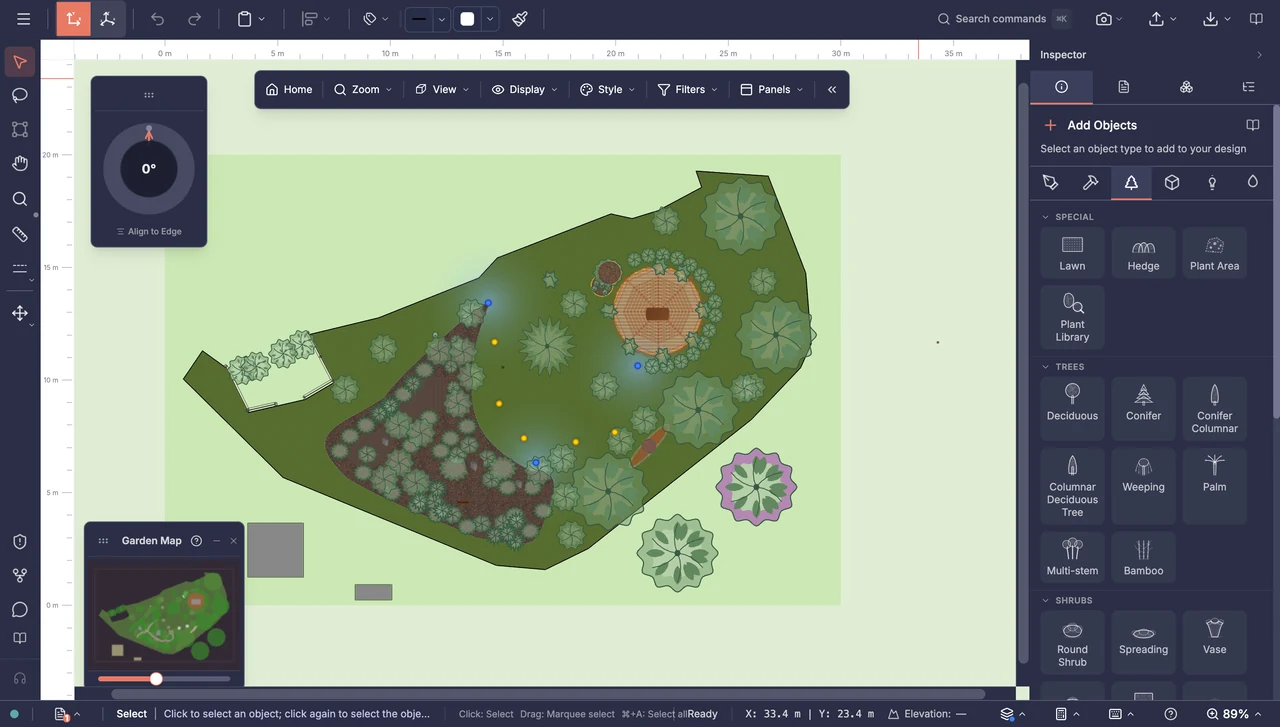 2D EditorDraw precise, impressive garden plans with planting, paths, patios, structures and garden systems, and keep detailed drawings organised with layers and tags.
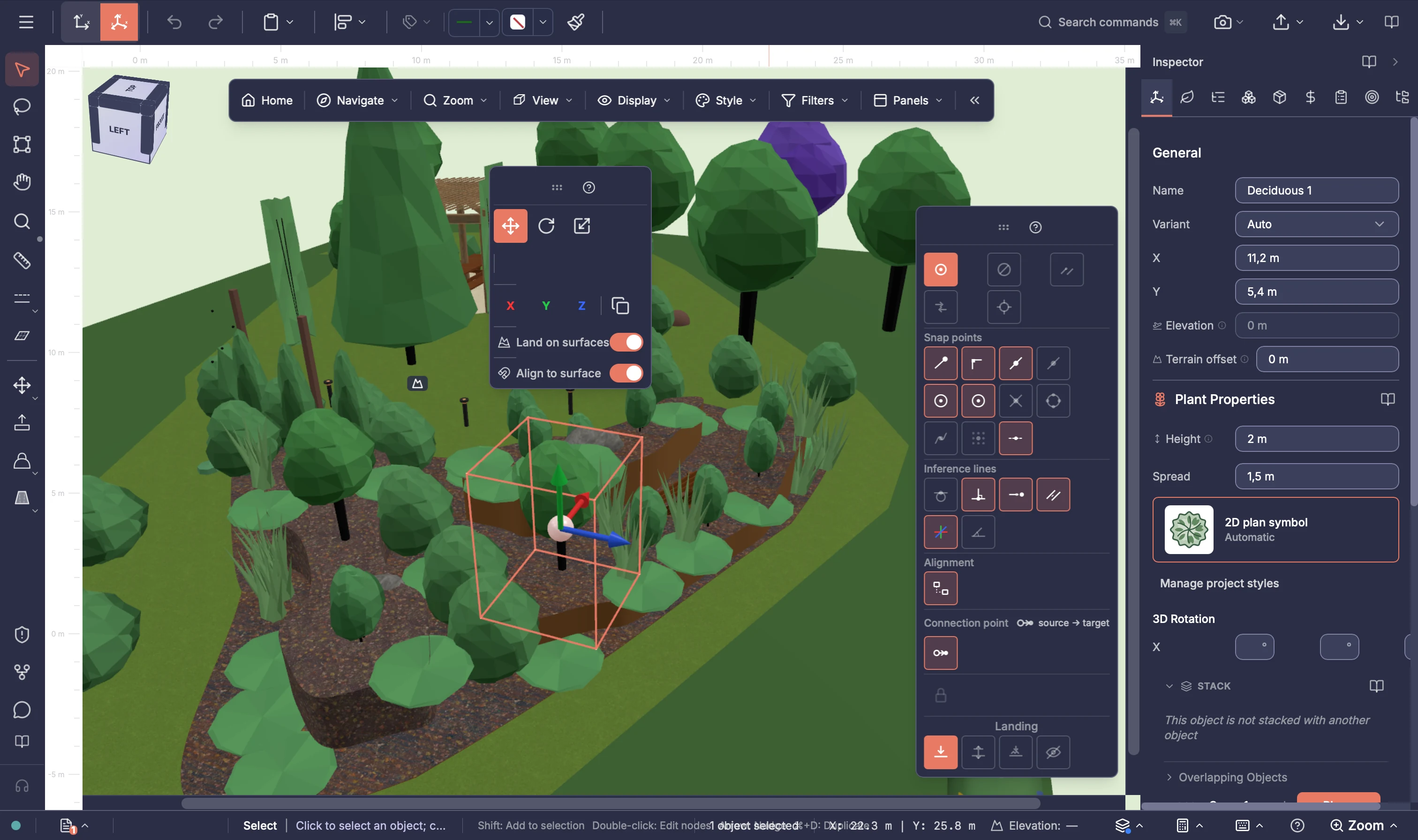 3D EditorDevelop the same design in 3D and see planting, paths, patios, structures and garden systems together from any viewpoint.Garden AnalysisCreate a garden that works for your client. Explore sun, shade and privacy to help position seating, planting and screening before work begins.
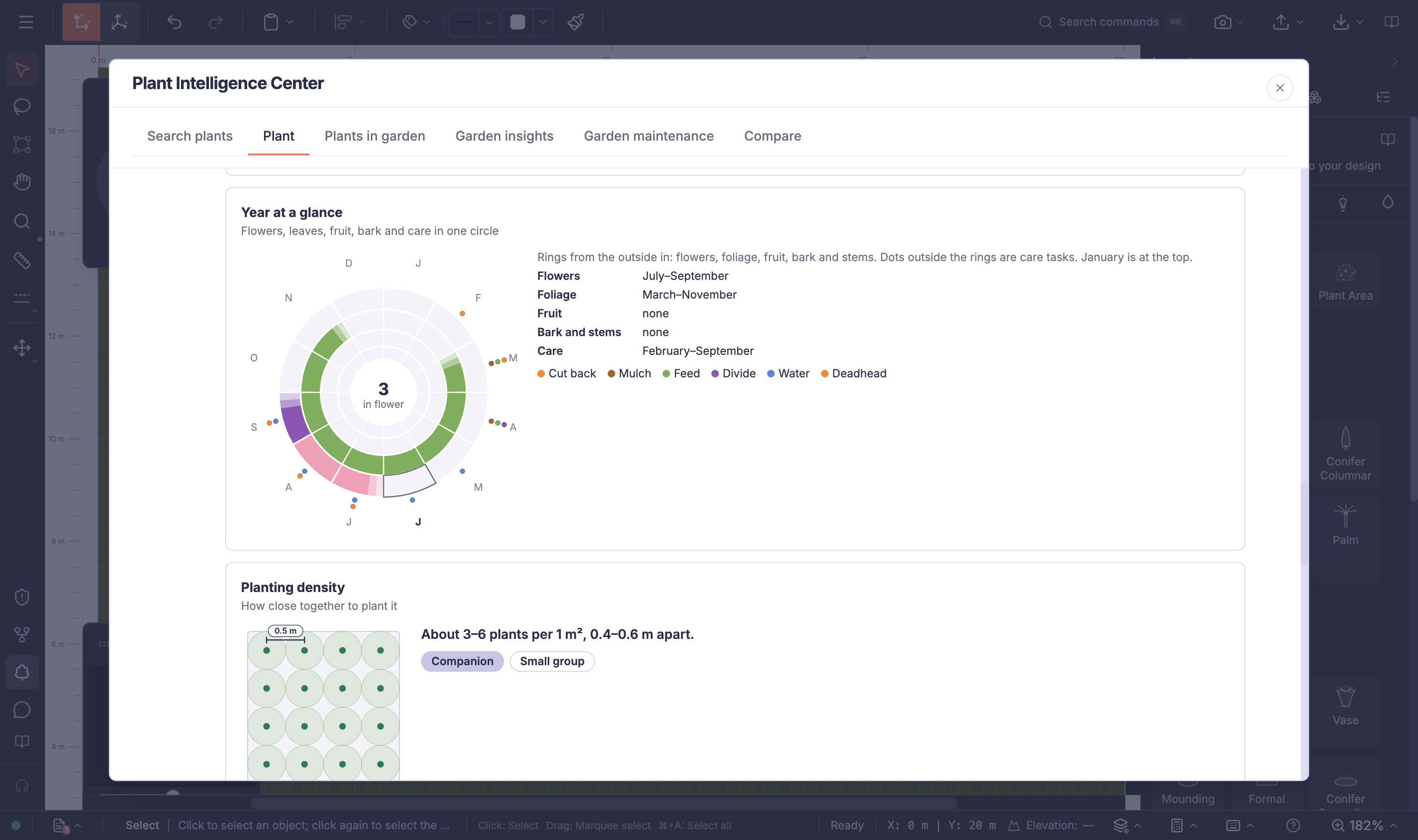 Plant Intelligence CenterUnderstand every plant in the design. Read one plant through the year, or see how the whole planting scheme flowers, grows and needs care month by month.
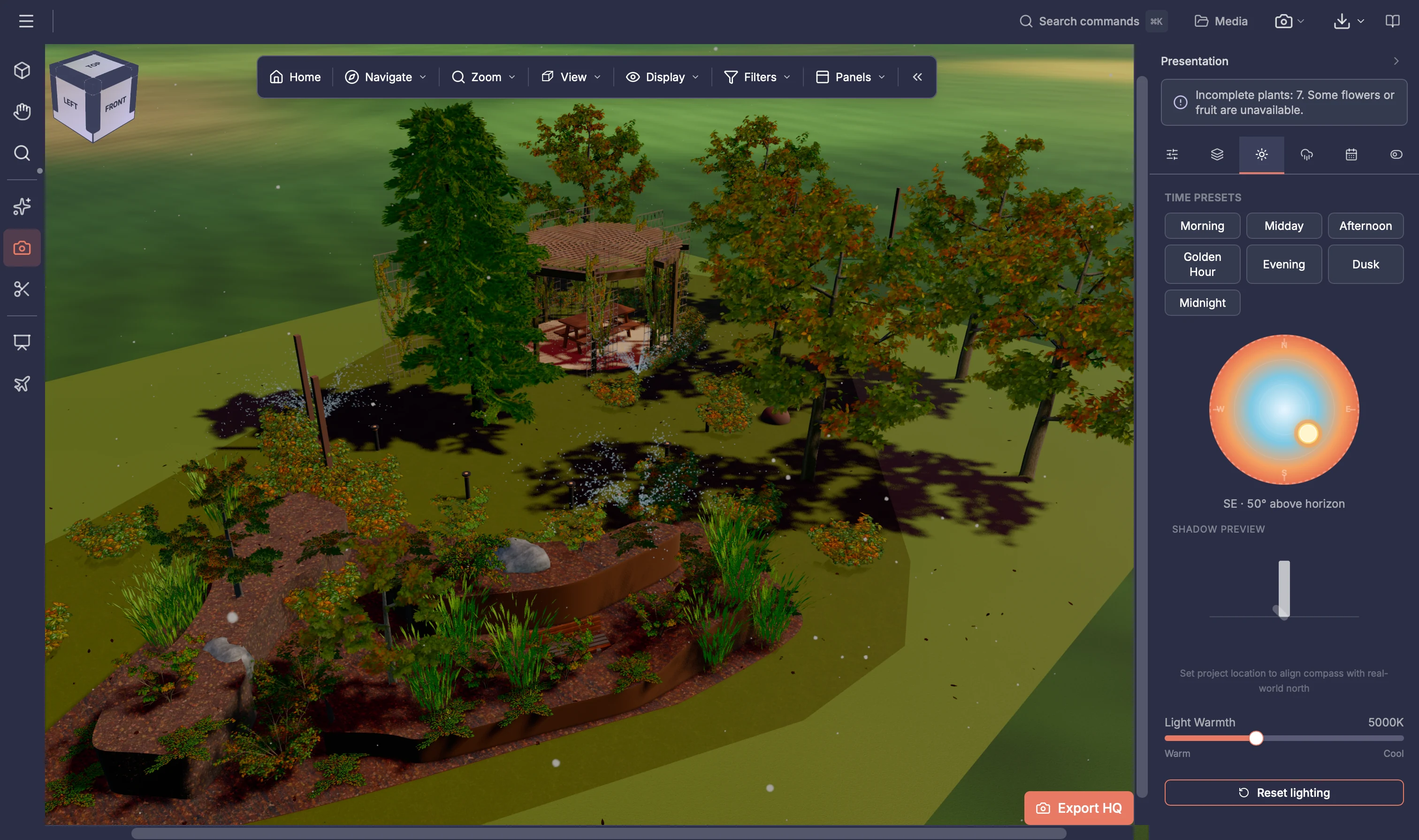 Garden PresentationWin clients over with garden images, slideshows, drone flights and optional AI renders. Help them picture the finished garden and feel confident choosing your design.
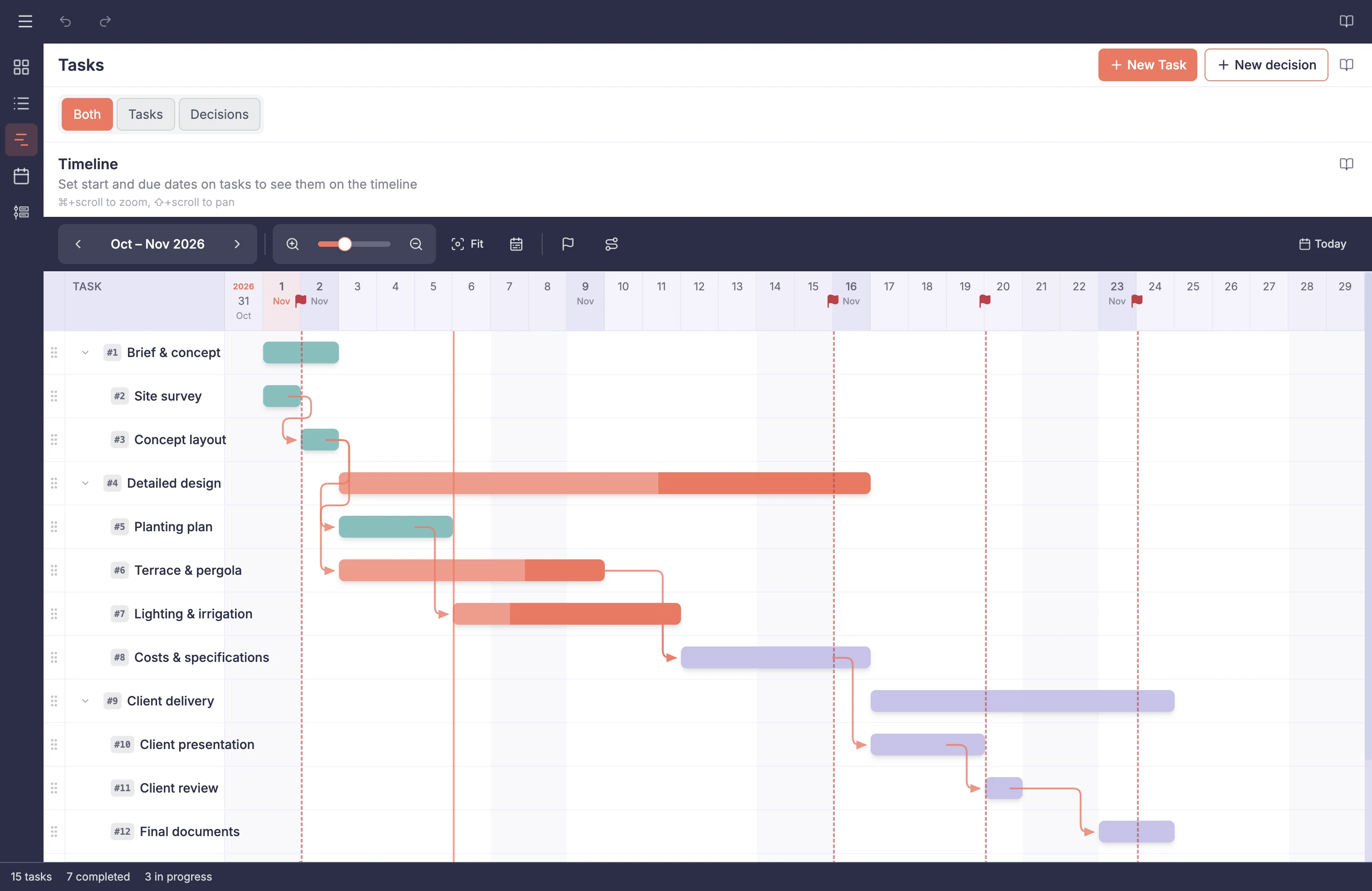 Project ManagementCoordinate tasks and schedules throughout the project, with a built-in Decision Log for important client and design choices.
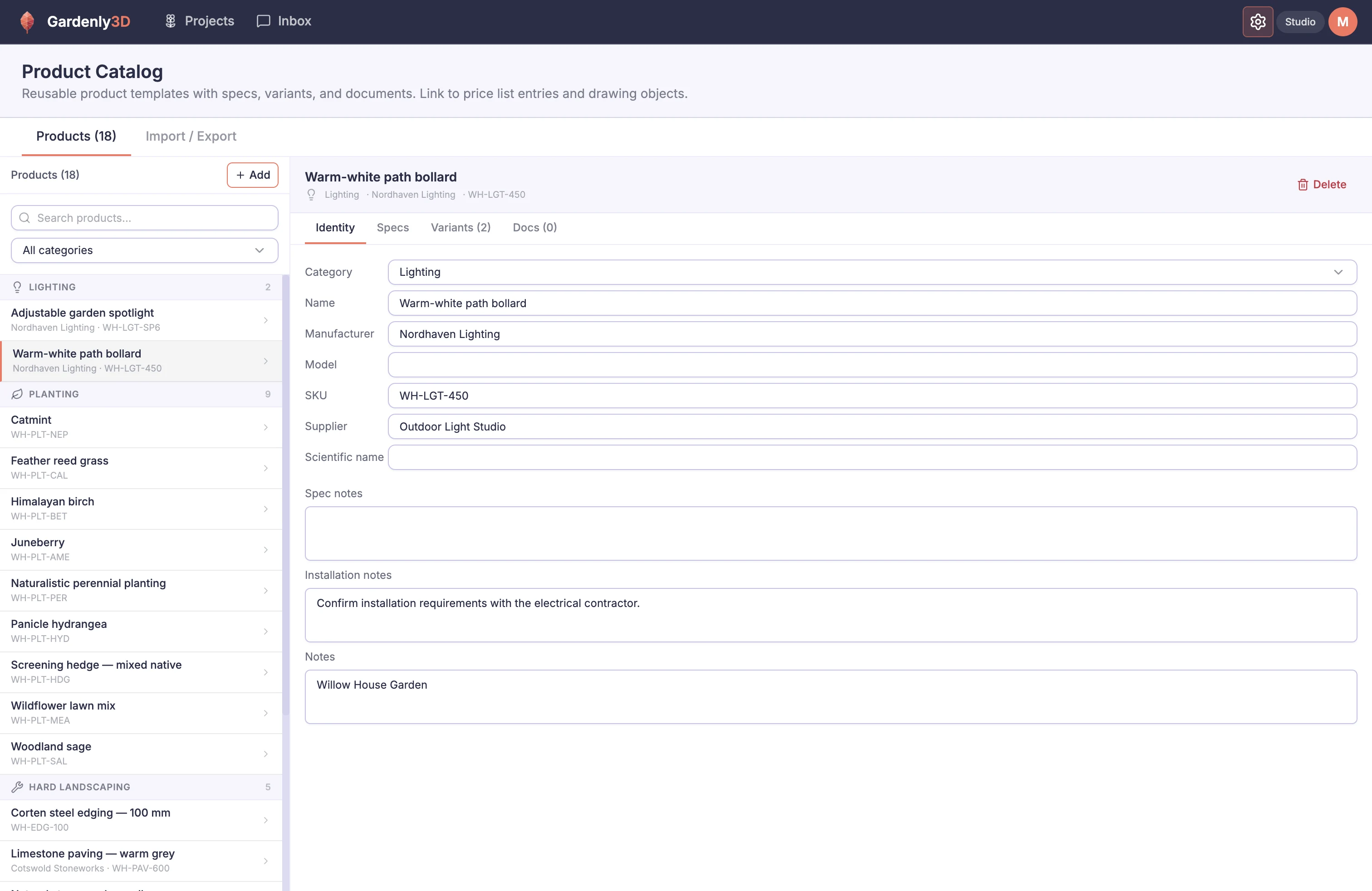 Product CatalogSave reusable product details, supplier information and variants once, then use them across garden projects.
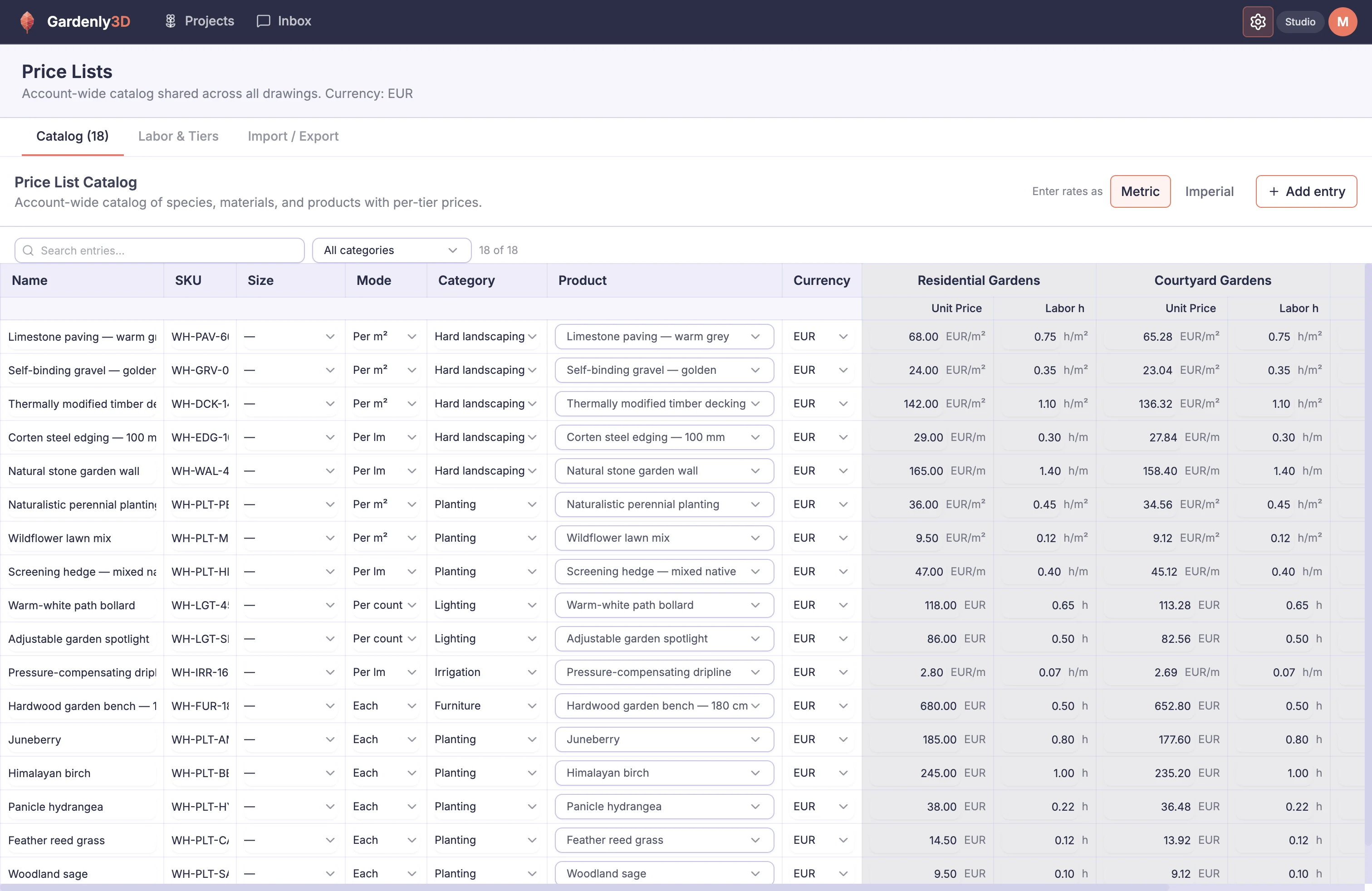 Price ListMaintain reusable unit prices, labor allowances and customer price bands instead of entering rates for every project.
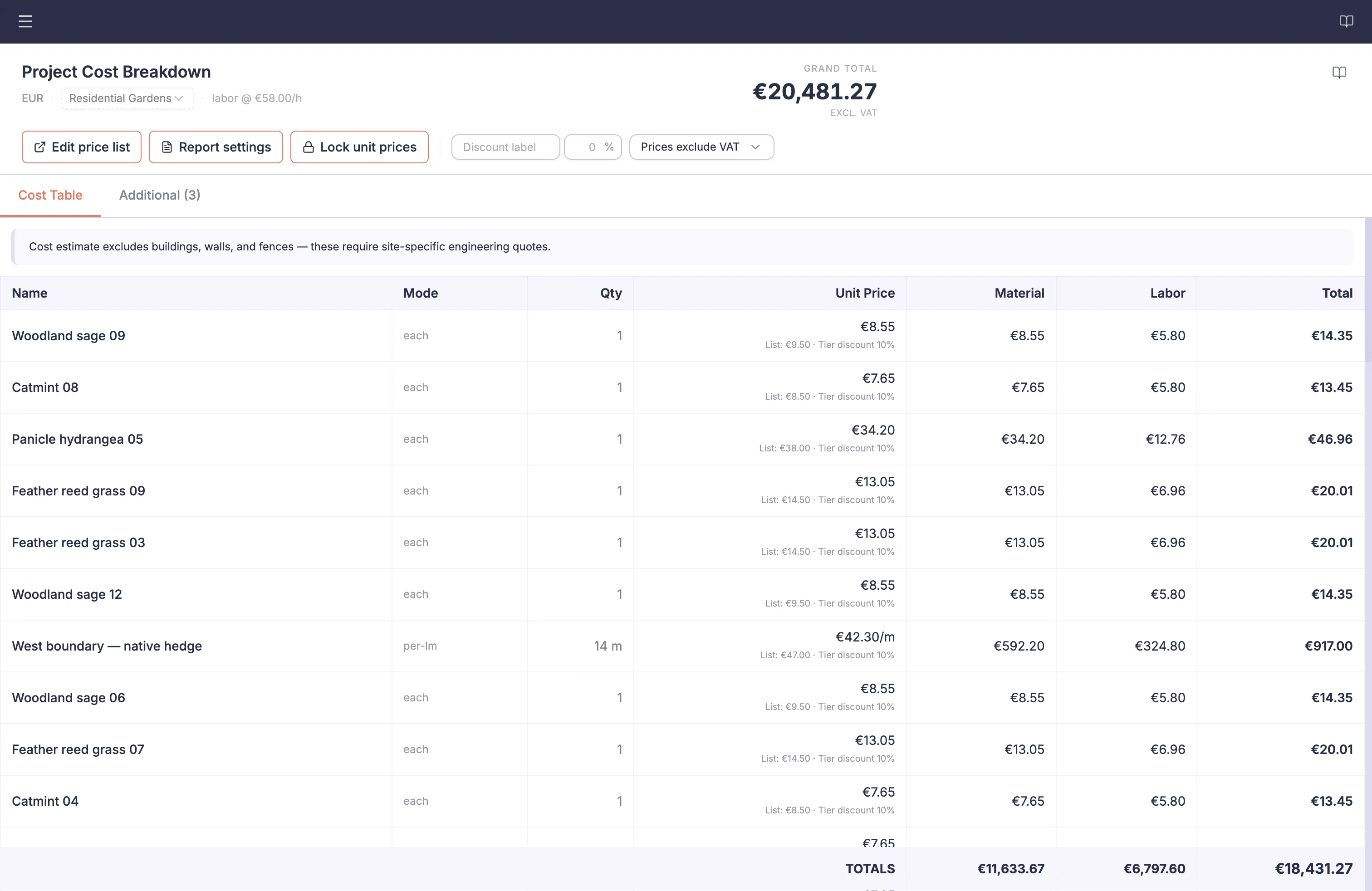 Project CostsSee how the garden’s measured quantities, chosen products and prices contribute to the total. Relevant costs recalculate automatically as the design changes.
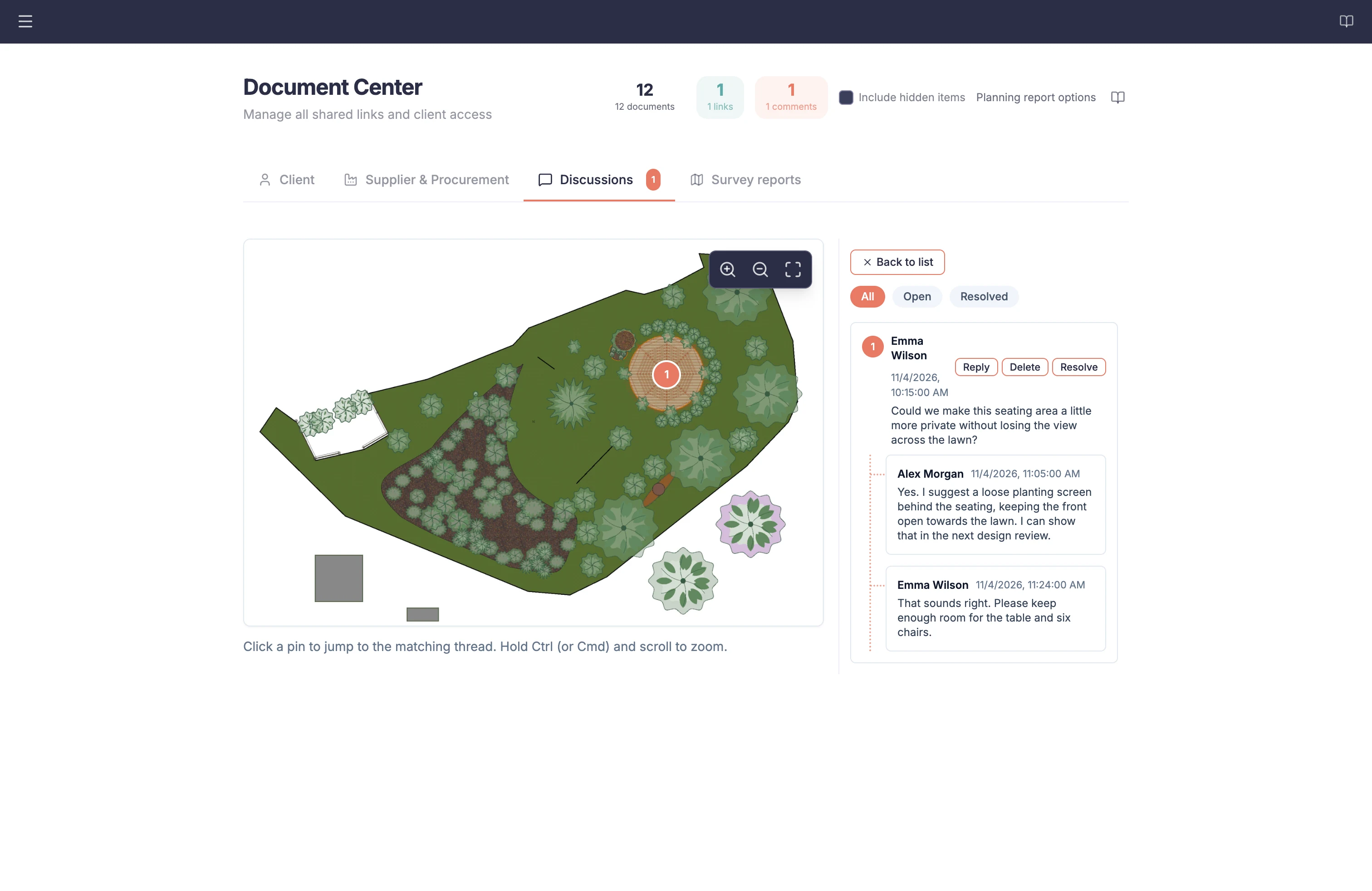 Document CenterBuild plans, reports and project records from information already held within the garden project.
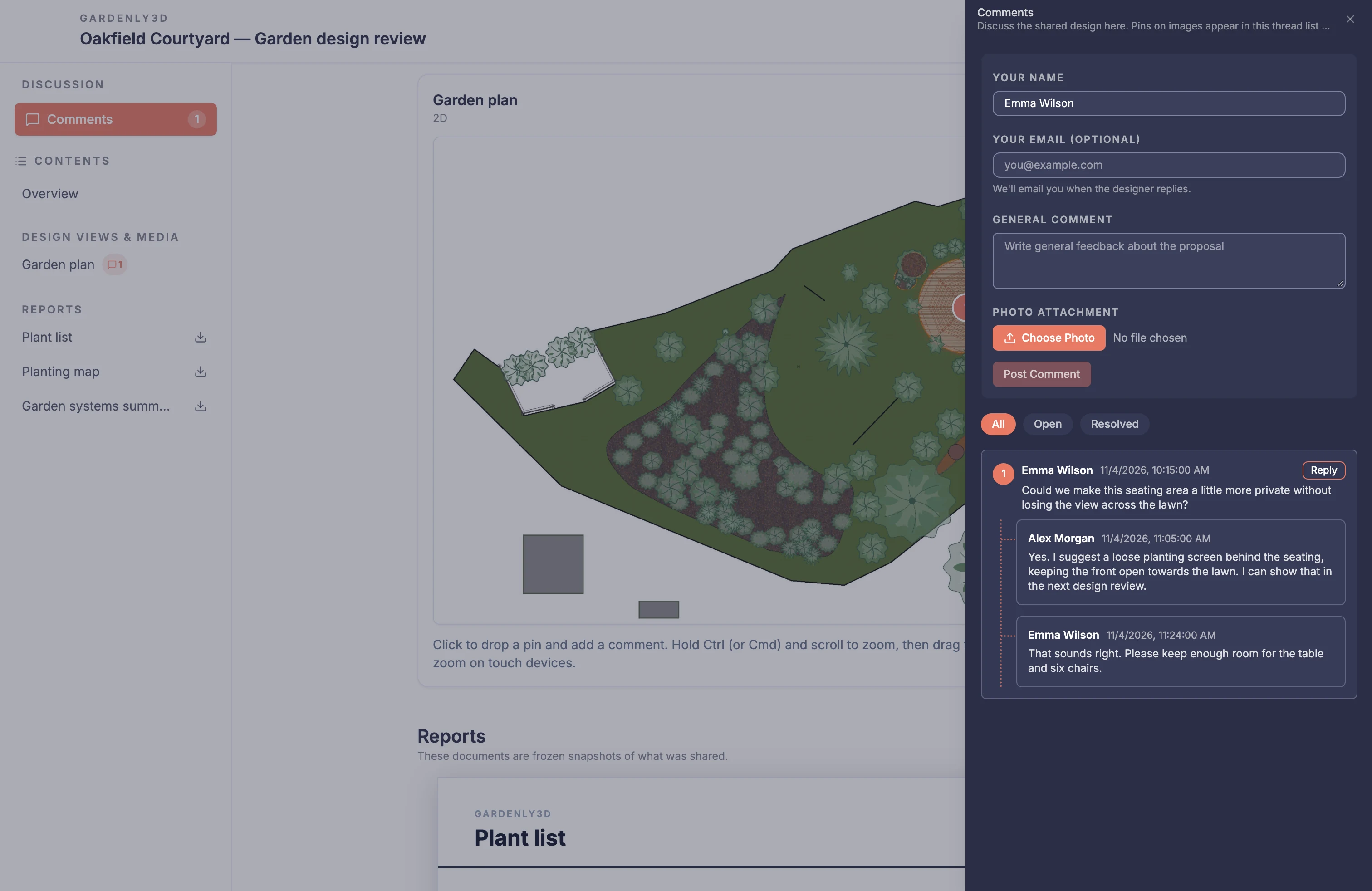 Client Review PortalPublish selected project material and keep contextual feedback attached to what the client reviewed.
Plants & planting design
Create planting schemes that work in the plan and help clients picture the finished garden. Understand each plant with the Plant Intelligence Center, then place and arrange it with the planting tools in the drawing editor.
Details that make the project work
Develop the built elements and technical systems alongside your planting. Bring in reference material and work with colleagues in the same cloud project.
One connected project
See how specialist modules contribute to the same garden project, so site knowledge, design decisions and delivery information can move forward without being reconstructed between separate files and applications.
Open the project in a supported computer browser and keep module information together.
Keep site survey information, terrain, design objects and analysis connected to the same garden project.
Bring planting, terrain, structures and garden systems into the design workflow.
Carry project information into planning, costing, documents and client review.
Design power
Give more attention to design decisions. Use Design Rules to find issues and GardenlyScript to reduce repetitive work, with control over what is checked and when automation runs.